TunnelSats: Hybrid Lightning Node Setup
Overview
TunnelSats simplifies running a hybrid Lightning node by routing clearnet traffic through a VPN while maintaining Tor connectivity. This guide helps you configure your node for optimal reliability, liquidity, and discoverability.
Key Benefits:
- Clearnet connectivity for faster routing
- Privacy-preserving VPN tunneling
- Tor fallback for additional privacy
- Simplified setup process
Important: Review this entire guide before proceeding. Understand the implications of exposing clearnet connections before enabling hybrid mode.
Prerequisites
Supported Node Platforms
- RaspiBlitz (LND/CLN) v1.8.0+
- Umbrel-OS (umbrelOS 1.0 - 1.5+) (via dedicated Umbrel App — Community App Store & Official Store review pending)
- StartOS (LND / CLN / Eclair) (v0.4.0+) (via the native TunnelSats StartOS package — coming soon, not yet available; see the StartOS FAQ)
- myNode (LND) v0.3+
- RaspiBolt / MiniBolt (LND/CLN)
- Bare Metal Systems meeting these requirements:
- Debian/Ubuntu-based OS (apt-get required)
- Linux kernel 5.10.102+ (check:
uname -r) - nftables 0.9.6+ (check:
nft -v) - LND/CLN running as systemd service
Software Requirements
- LND 0.14.2-beta minimum (latest recommended)
- CLN latest version
- Only one Lightning implementation per system (port 9735)
- Ability to edit configuration files
- Small amount of sats for subscription payment
System Check: Run sudo bash tunnelsats.sh check to verify compatibility.
How It Works
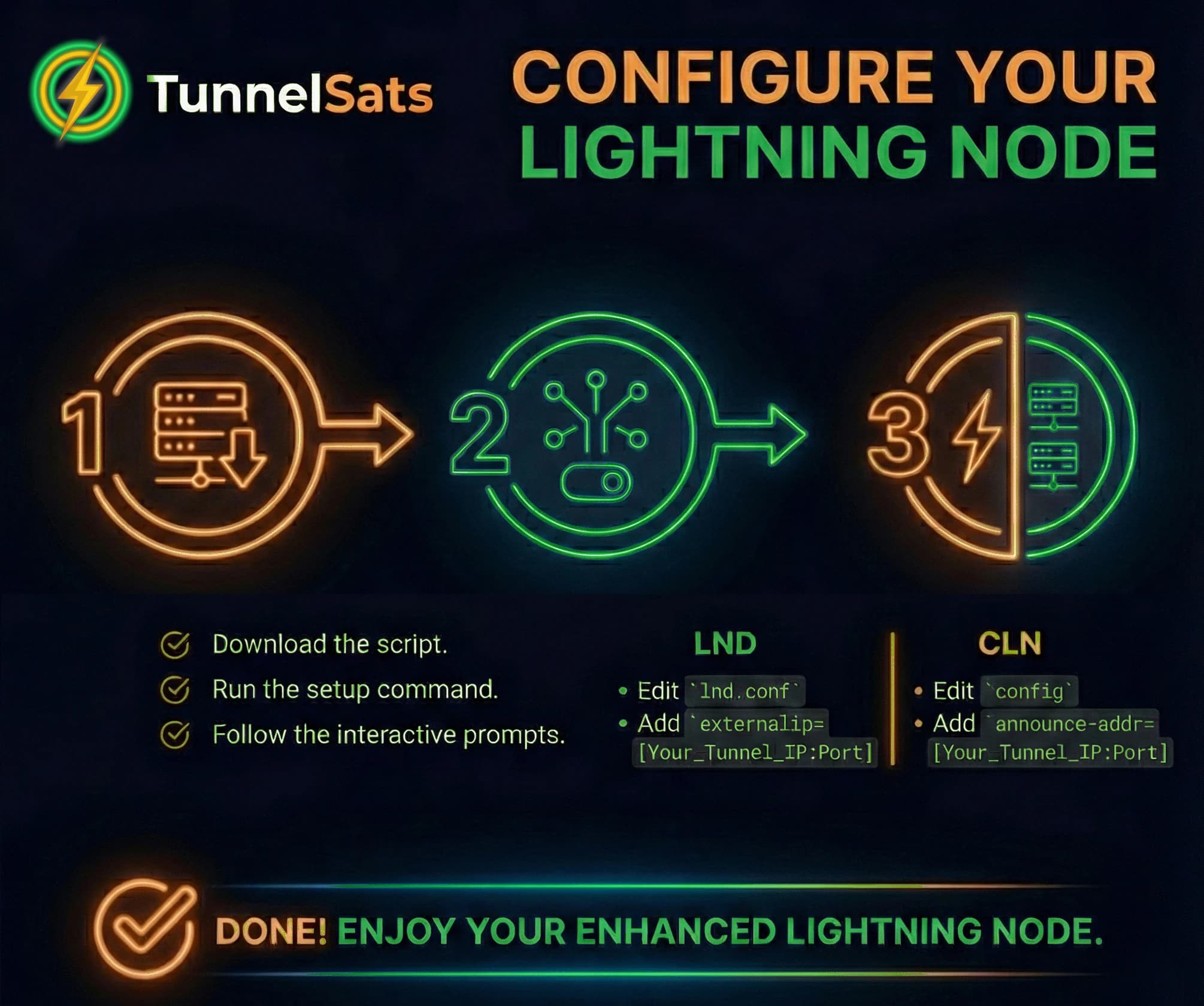
TunnelSats operates in three stages:
- VPN Subscription – Rent a WireGuard server from tunnelsats.com and obtain your configuration file
- Software Installation – Install WireGuard, nftables, and split-tunneling components
- Node Configuration – Update your Lightning node settings for hybrid mode
Installation
Step 1: Subscribe to TunnelSats
- Visit tunnelsats.com
- Select a server location (choose one close to your physical location for best performance)
- Choose subscription duration (1-12 months)
- Pay the Lightning invoice
- Download the
tunnelsats_<server>.conffile (e.g.,tunnelsats_us3.conf)
Critical: Back up your configuration file to a safe location (e.g.,
/mnt/hdd/app-data/tunnelsats/on RaspiBlitz).
Step 2: Install TunnelSats Software
☂️ Umbrel Users: Stop here! You do not need to run manual bash scripts. Install the dedicated TunnelSats App from the Umbrel Community App Store. Read the full Umbrel App Guide.
🚀 StartOS Users: Stop here! You do not need the bash script. The native TunnelSats package for StartOS 0.4 (LND, Core Lightning, Eclair) is coming soon and not yet available: you will buy the subscription with the Buy Subscription action, pay the invoice from your own node, and accept a 1-click clearnet-vpn task on your Lightning node. No port forwarding and no StartOS system settings to change. It requires LND
0.21.3-beta:10, Core Lightning26.6.8:3or Eclair0.14.3:3(or newer), which drop clearnet traffic if the configured tunnel goes down. Read the StartOS Guide for the flow and launch status.
Download the unified setup script and its checksum:
bashwget -O tunnelsats.sh https://raw.githubusercontent.com/Tunnelsats/tunnelsats/2da190c18b69813887cfde61fe768d7b4af1cf69/scripts/tunnelsats.sh && wget -O tunnelsats.sh.sha256 https://raw.githubusercontent.com/Tunnelsats/tunnelsats/2da190c18b69813887cfde61fe768d7b4af1cf69/scripts/tunnelsats.sh.sha256
# Checksum (SHA256): af4f553e0598c513ba1de8195422fe4769044d8686ad1f2616095a8ba0804757
Verification: Always verify the integrity of executed scripts. Run the following to compare the script against its checksum file:
bashsed 's|scripts/||' tunnelsats.sh.sha256 > tunnelsats.sh.sha256.local && sha256sum -c --ignore-missing tunnelsats.sh.sha256.local && rm tunnelsats.sh.sha256.localNote: This command corrects the path in the checksum file and then verifies the script integrity.
Transfer your WireGuard configuration to your node (if not already there):
bashscp tunnelsats_us3.conf <user>@<hostname>:/<home-directory>
Example for Umbrel:
bashscp tunnelsats_us3.conf [email protected]:/home/umbrel/
Ensure both files (tunnelsats_us3.conf and tunnelsats.sh) are in the same directory, then run the installer:
bashsudo bash tunnelsats.sh install
Upon successful completion, the script displays your VPN credentials and configuration parameters. Save these values – you'll need them to configure your Lightning node.
Configuration
Before proceeding: Back up your configuration file!
bashcp /path/to/lnd.conf /path/to/lnd.conf.backup
Choose your Lightning implementation below:
Verification
Once you've completed the configuration, verify that your connection is working by running:
shsudo bash tunnelsats.sh status
This acts as a "Headless Status Page" for your node, checking VPN connectivity, Tor status, and Public IP visibility.
Subscription Renewal
Extend your subscription without reconfiguration:
- Visit tunnelsats.com → Renew Subscription
- Enter your WireGuard public key (found in
tunnelsats_*.confas# myPubKey). - Click Query Key Info to view your current expiry date
- Select extension duration (appends to current expiry)
- Click Update Subscription and pay the invoice
Alternately, you can manage your subscription directly in My Dashboard.
In either case, your existing configuration remains valid – no changes needed.
Uninstallation
To remove TunnelSats and restore your original configuration:
bashsudo bash tunnelsats.sh uninstall
Restore your Lightning configuration from the backup you created earlier. The uninstall script removes hybrid mode settings to prevent IP leakage.
Technical Details
What does tunnelsats.sh do?
This unified script manages the entire lifecycle of the TunnelSats connection:
- Install: Installs components (
wireguard,cgroup-tools,nftables), configures split-tunneling, and creates systemd services. - Status: Provides a comprehensive health check of the connection.
- Uninstall: Cleanly removes all components and restores network settings.
- Restart: Restarts the TunnelSats service. (Warning: Stops and restarts your lightning services to avoid IP leakage)
- Pre-Check: Checks if your node is compatible with TunnelSats.
Support
- FAQ: Review common questions
- Telegram: Join Tunnel⚡Sats for community support
- GitHub: Report issues